


Legion software is proven by 20,000+ users across U.S. Special Operations Command, and deployed on-prem at a U.S. Department of Energy national laboratory.
What does the Security Operations Center Pack do?
Built for Tier 1 analysts and the SOC leads who run the queue. The Pack starts after the ticket exists, so detection and ticket creation stay where they are.


Gather the evidence
Every source is read the moment a ticket is created.
- Pulls the ticket, logs, detections, user attribution, and reputation results into one view
- URL and IOC Analysis checks each link and indicator of compromise against reputation and open-source intelligence (OSINT) sources
- Historical Context Enrichment adds prior tickets, patterns, and outcomes for the same user or device as work notes

Triage the case
Open each case with the evidence summarized and a next step proposed.
- Triage Recommendation writes a short plain-language summary and recommended next steps into the ticket
- Duplicate Ticket Grouping links repeat reports of the same phishing email under one parent case
- Sets severity from the signals and flags each case’s service-level agreement (SLA) clock
Escalate and close out
Tier 2 gets the case already assembled.
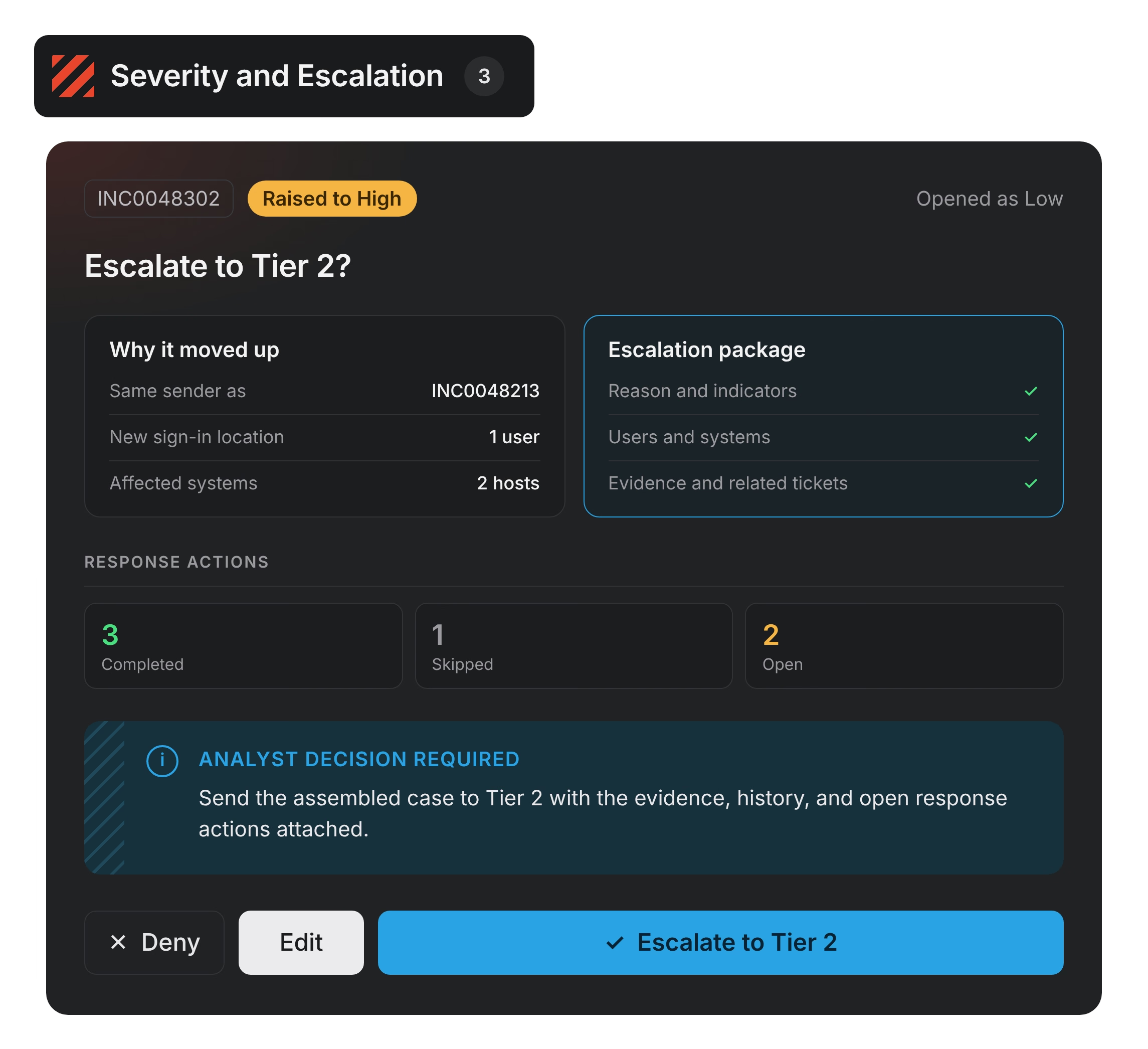
- Severity and Escalation flags when a low-severity ticket should move up
- Packages the reason, affected users and systems, indicators, evidence, and related tickets for Tier 2
- Response Actions Status Report tracks completed, skipped, and open remediation steps
Agents do the work. You stay in charge.
No defensive action runs until an analyst decides.
Works with the systems you already use
Ticketing
- Cases and history
- Priority and urgency
- Assignment groups
Security telemetry
- Logs
- DNS and network activity
- Endpoint detections
- Host activity
Directories
- Users involved
- Systems involved
Threat intelligence
- URL and domain reputation
- IP reputation
- File-hash reputation
Deployment and security
- Same Pack, same governance in cloud, on-prem, and air-gapped deployments
- IL2 through IL6 for DoW networks, FedRAMP High for the cloud platform, ready to manage ITAR data
- Honors your existing access controls, with audit trails and full attribution including agent actions
- Your data stays in your environment. Models never train on it.

See the Security Operations Center Pack in your environment
- A working session on an approved sample of your own tickets
- The summaries, groupings, and escalation packages it produces, with your analysts deciding
- A pilot scoped to your busiest queue, measured on one number

FAQs
What is the Security Operations Center Pack?
The Security Operations Center Pack is a set of Legion apps that helps analysts open every case ready to decide. When a ticket is created, it gathers the evidence from your security tools, writes a summary and recommended next steps into the ticket, and leaves the decision with your analysts.
What problem does it solve?
Each case is spread across five sources. The ticketing system holds the case and its history, the SIEM holds the logs, the EDR holds the detections, directories hold who and what was involved, and threat intelligence holds the reputation of what was seen. No single system holds the whole picture, so analysts assemble it by hand while the SLA clock runs. The Pack reads all five sources as soon as the ticket is created.
Who is it for?
Tier 1 analysts use it to start each case with the evidence already gathered. SOC leads see escalation signals and SLA deadlines across the queue. Tier 2 receives escalations as complete packages, so they can spend their time on higher-severity investigations.
Does it replace our SIEM or ticketing system?
No. Detection systems still raise alerts and create tickets, and your ticketing system remains the system of record. The Pack starts once a ticket exists and works across the tools you already run.
Who approves what Legion recommends?
Your analysts. Legion gathers, validates, and recommends, and analysts decide and act. The Pack takes no autonomous defensive actions, and every action is logged by name.
What happens when Legion doesn’t have enough information?
Some tickets arrive with missing telemetry, incomplete records, or conflicting evidence. When a source can’t be reached or the evidence doesn’t settle the case, the Pack shows what it found, marks what’s missing, and leaves the call to your analyst. Before an escalation goes to Tier 2, it checks that the indicators, enrichment, and history are complete. If something is still missing, the analyst acknowledges the gap before the case moves. Every package separates confirmed facts from suspected activity and links each finding to its source.
How is this different from a security chatbot?
A chat tool answers one question for one person at a time. The Security Operations Center Pack reads every source when a ticket is created, writes the evidence into the ticket, groups duplicate reports, and builds the escalation package, so the whole team works the same case.
Which systems does it connect to today?
ServiceNow, Splunk, CrowdStrike Falcon, and more.
How does it handle restricted data?
CUI and restricted data stay compartmentalized under attribute-based access control. Your data stays in your environment, and models never train on it.
Where does it run?
The same Pack, with the same governance, runs in cloud, on-prem, and air-gapped deployments.
How do we start?
Start with your busiest queue. Legion runs an approved sample of your tickets through the Pack and shows you the summaries, groupings, and escalation packages it produces, with your analysts deciding. A pilot on one queue is up and running in weeks.